Off Your Phone, Into Your Hands

by Caitlin on January 2, 2013

in All Posts

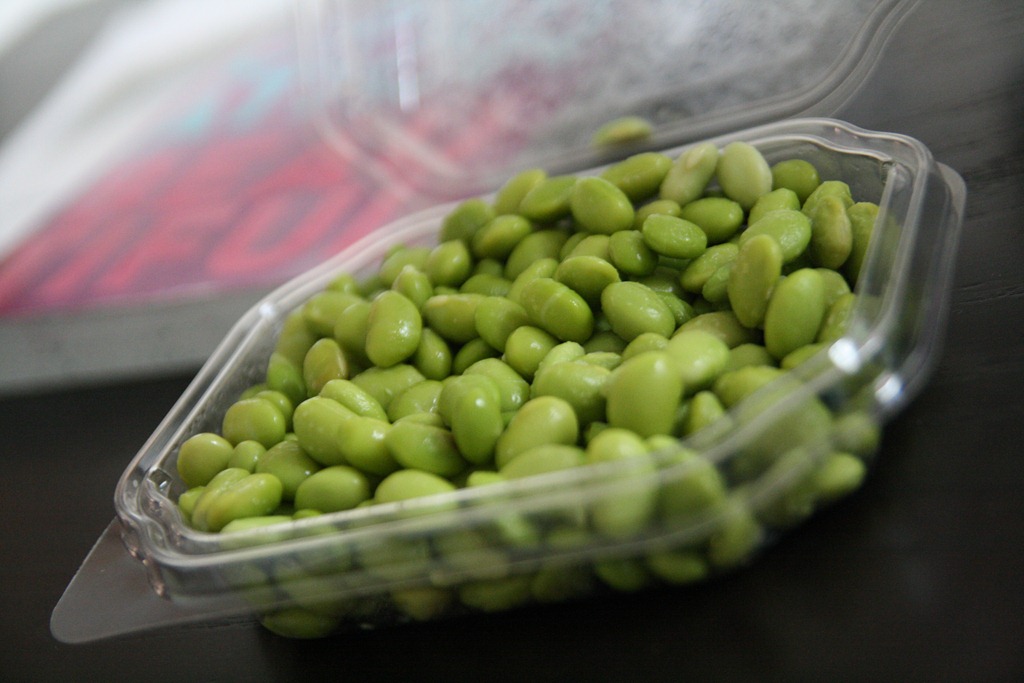
Snacked on a few edamame this morning.  Gotta love all of those Trader Joe’s healthy convenience foods.
IMG_3843

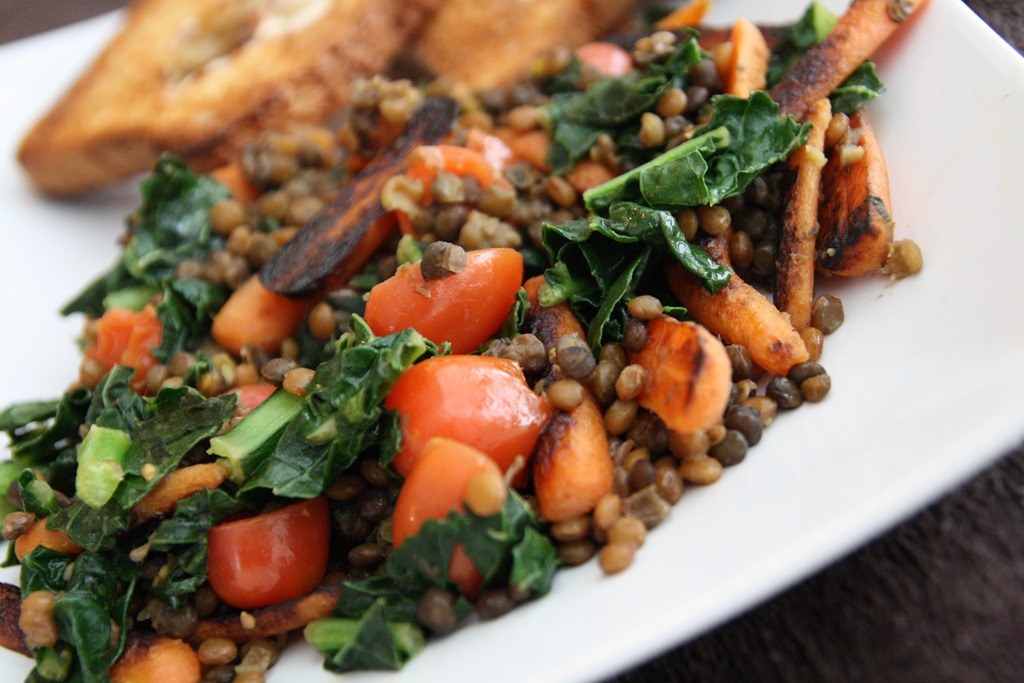
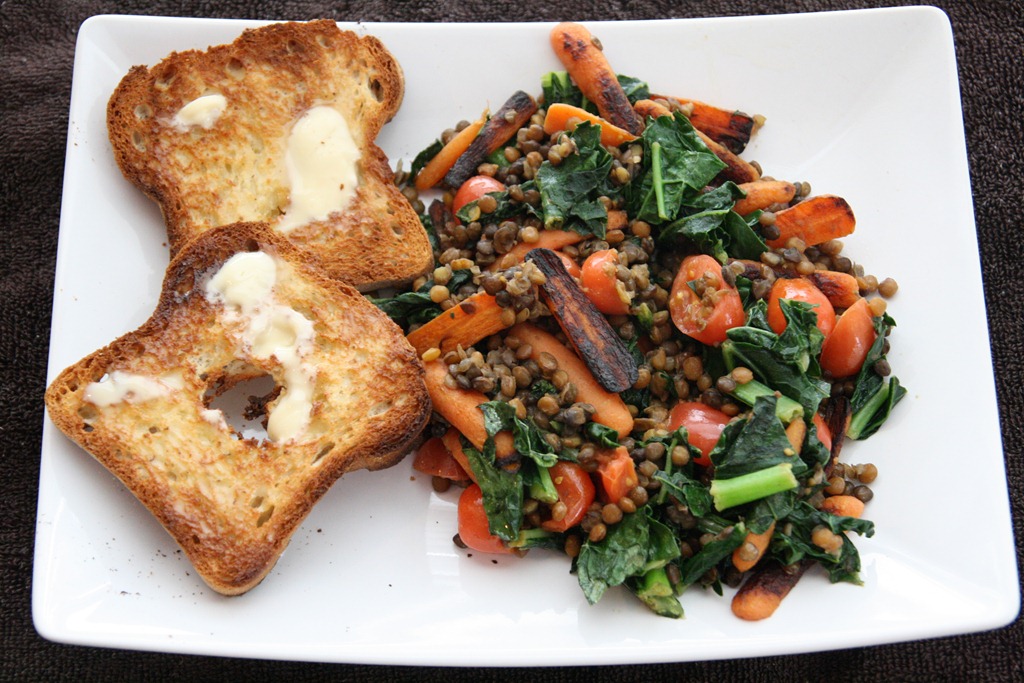
Speaking of which… TJ’s lentils with carrots, tomatoes, kale, and toast.
IMG_3845

IMG_3846

I love taking photographs (obviously!), and I used to lug around my big DSLR everywhere.  I still use it daily, mostly for food photos or special baby photo shoots.  Even with no or minimal editing, pictures look so much better with an SLR than they do with an iPhone.  I’m no pro, but even I know that. Winking smile

IMG_3881

But if you’re anything like me, your smartphone is what really captures all the cute moments.  Who has time to whip out the bulky DSLR or find your point-and-shoot in the bottom of your purse when the kiddo is petting the cat?  You blink and the opportunity is gone!  I even took all of Henry’s hospital photos with my dang iPhone.


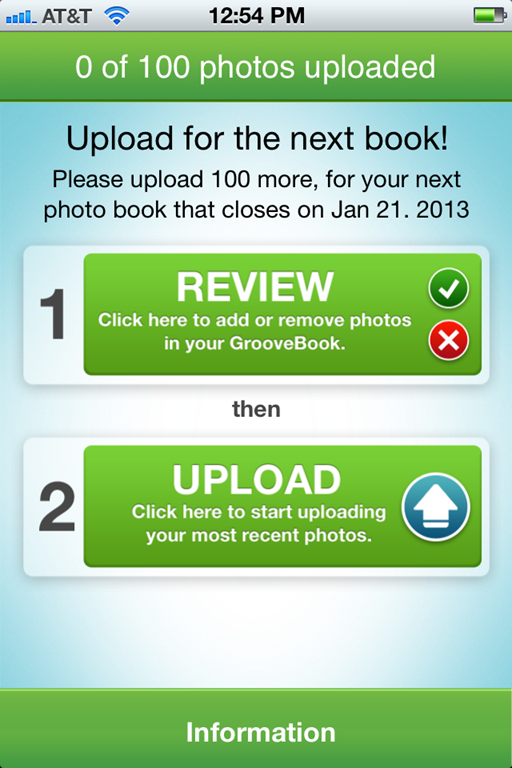
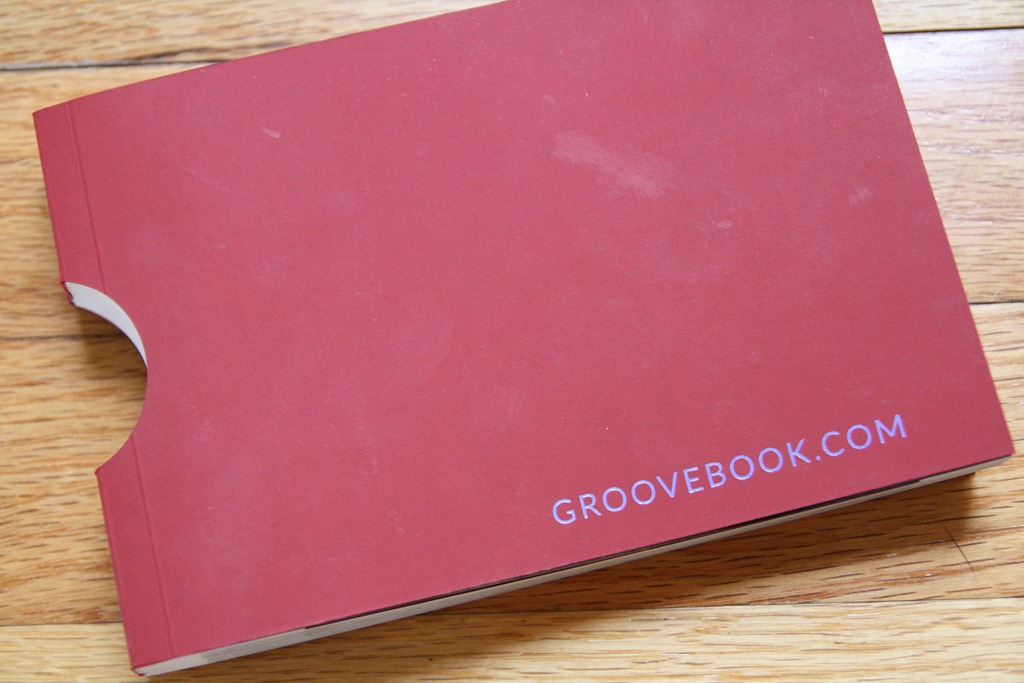
Recently, I heard about the Groovebook app (they gave me a chance to review it for a free book).  For $2.99 (the app is free; you pay for printing and shipping), you get a monthly photo book with 100 of your smartphone photos.  The photos upload directly from your phone – no plugging into the computer – and the book arrives in just a few days. 
photo 1 photo 2

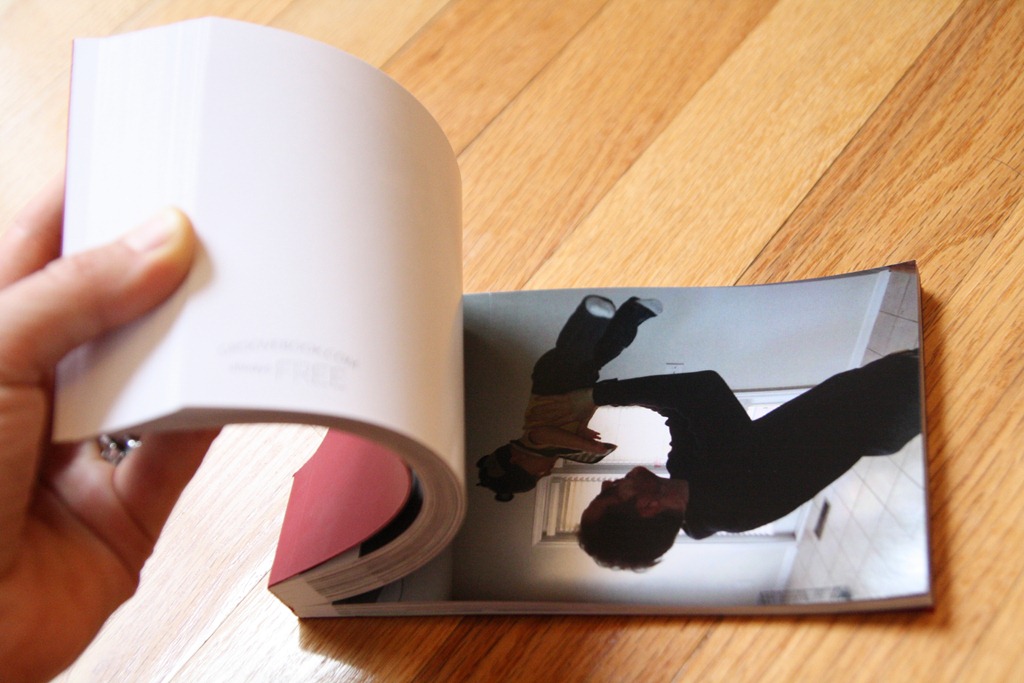
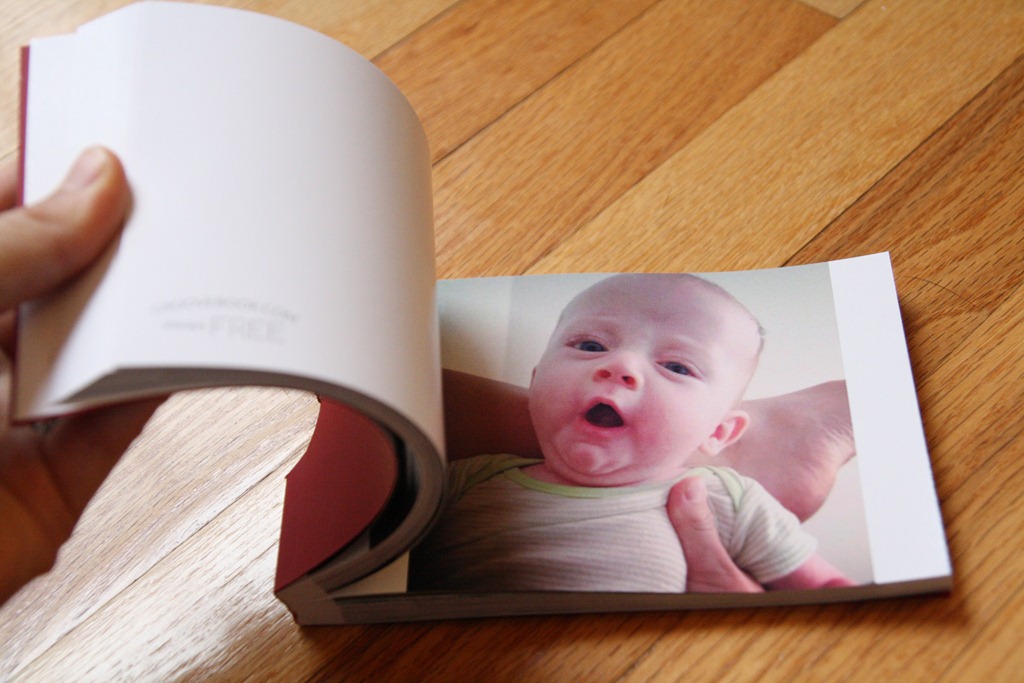
The photos are perforated so you can easily tear them out of the book.
IMG_3901

I would say that the printing quality is decent but not fabulous.  But hey – I actually get photos off my phone and into my hands, so that’s pretty cool.  And $2.99 is CHEAP.
IMG_3902

Yay, memories.

IMG_3903

You can get a FREE Groovebook by using the coupon code TippingPoint12 when you first log into the app!


Do you rely heavily on your phone for photos, too?

{ 44 comments… read them below or add one }

Sarah @ Yogi in Action January 2, 2013 at 1:51 pm

I take so many of my pictures with my phone! Over the holidays, I took 1 picture with my camera, and about 50 with my cell phone.

That app looks awesome! I will definitely be checking it out.

Reply

Claire @ Live and Love to Eat January 2, 2013 at 1:59 pm

I almost never make the effort to get out the DSLR – this sounds like a cool app!

Reply

Sara January 2, 2013 at 2:07 pm

That’s awesome. We don’t even take a camera on trips anymore–just our iPhones. When I traded in my old Android for my iPhone I had like 700 photos on it. I’m not kidding.

Reply

Kelly January 2, 2013 at 2:48 pm

Sara, you are a lightweight! Ha. When I use my phone for travel, I come away with almost 2,000 photos!! :) Add in the DSLR photos, and well, it keeps a person busy, that’s for sure.

Reply

Sharon January 2, 2013 at 2:14 pm

I have a food blog and it is not always practical for me to bring my big/clunky full size camera, so yes, I certainly rely heavily on my iphone’s camera. Received Photoshop for the holiday and now want to learn how to best use the program!

Reply

Heather R. January 2, 2013 at 2:24 pm

Boo, the Groovebook app is not compatible with my IPhone 3G :-(

Reply

brian January 2, 2013 at 3:03 pm

Yes its compatible you just need to upgrade to ios5 software, but the quality of the photos from your 3g won’t be the best.

Reply

Lindsey January 2, 2013 at 2:28 pm

I totally do! I used to haul around my Cannon everywhere but rarely do now. I still like to use my DSLR but the phone is so much more convenient.

Reply

Katie @ Peace Love & Oats January 2, 2013 at 2:59 pm

That sounds like such a cool app, I’ll have to check this out! I actually don’t have a camera, I only use my iPhone!

Reply

Hayley @ Running on Pumpkin January 2, 2013 at 3:00 pm

I practically only use my iPhone but I just got a nice camera for Christmas so I hope to use it a lot now!

Reply

allison January 2, 2013 at 3:11 pm

just downloaded the app! THANKS!!! i think at one point i had like 1600 pix. eek. i am a big scrapbooker, but i hate having to pick and choose. now i can put the ones i dont use in my regular scrapbook into a groovebook. :D

Reply

Kaitlin @4loveofcarrots January 2, 2013 at 3:11 pm

seriously this is an awesome app!!

Reply

Amber January 2, 2013 at 3:20 pm

Any idea how much shipping and handling cost?

Reply

Caitlin January 2, 2013 at 3:25 pm

It’s $2.99 flat!

Reply

elizabeth January 2, 2013 at 3:42 pm

Your meal looks delicious! How did you make it. I have bought the Trader Joe’s Lentils and have no idea how to use them! Thanks!

Reply

Caitlin January 2, 2013 at 4:29 pm

You don’t have to cook those lentils. Just add it last to whatever you make. You can put them in pastas or stir fries. I cooked the carrots in some oil and then adde the greens and tomatoes with a little water and cooked them until the greens wilted. Easy!

Reply

Kathleen Ojo @Onward; Inward January 2, 2013 at 3:44 pm

This is random, but I notice your bread has a hole in it! Is it Udi’s gluten free? I love their bread and the fact that I can get it at a reasonable (for GF) price at Trader Joe’s, but lately every loaf I’ve purchased has had a hole in the middle! The last one I bought was practically hollow in the center. I took a picture and intend to complain to the company – I want to keep buying their product, but I can’t pay $4 for a loaf that’s 50% air! Sorry for the off topic rant :-)

Reply

Caitlin January 2, 2013 at 4:28 pm

Hahah yes Udi bread is so holy. ;)

Reply

Jillian January 2, 2013 at 3:51 pm

What kind of GF bread do you eat?

Reply

Caitlin January 2, 2013 at 4:28 pm

Udi’s!

Reply

Ashley January 2, 2013 at 4:30 pm

Speaking of using your phone to capture memories…there’s a cool new (free) app called Directr that shoots video and edits it all together for you to music! http://www.directr.co/ Its like instagram for videos!

Reply

Megan January 2, 2013 at 5:12 pm

I will have to check this out! I’ve recently started using the Walgreens app for phone to store prints but 100 prints for $2.99? Cannot beat that price! Is it printed on photo paper?

Reply

Caitlin January 2, 2013 at 7:40 pm

Like mediocre photo paper. It’s not as quality as printing from the LAb.

Reply

Lisa January 2, 2013 at 5:52 pm

I use my iPhone for the spur of the moment photos. It seems as though as soon as I take out my big DLSR camera, the moment is gone. Especially with my cats. When I want to take pictures of their cuteness, they immediately move when I get the big camera! :)

Reply

Jill January 2, 2013 at 6:04 pm

How do you prepare your veggies? (Like carrots…do you just peel and chop them raw and then what…saute them for a certain amount of time? Or boil them? ) I’m so lost and how to prepare different veggies, but make it simple and fast. I get overwhelmed by very complex things.

Reply

Karen @ Runner Girl Eats January 2, 2013 at 7:10 pm

I am sooo dependent on my iphone and never actually print pictures anymore!

Reply

Beth January 2, 2013 at 7:26 pm

This is awesome – thanks for sharing!!! I have…um…3,300+ photos on my iphone right now mostly of of my 14 month old son and I would love to get little books of them! PS – when Drew (my son) was 0-3 months we had that same football onsie – loved it – put him in it every chance I had :) Henry is super cute!

Reply

Josie January 2, 2013 at 7:53 pm

My DLSR is collecting dust. My iphone is my go-to. Even then it gets so full so quickly with pictures. I love this app idea. I’m definitely getting it!

xx

Reply

Nay January 2, 2013 at 8:43 pm

This is a little random but, your buttered toast always looks so drool-worthy! Maybe that’s just the carb monster talking! What kind of bread do you use?

Reply

Sara @ fitcupcaker January 2, 2013 at 8:49 pm

I use my phone a lot, especially at work!!

Reply

Cristin January 2, 2013 at 8:49 pm

Will definitely try this. Thank you! One of my favorite photos is from my iPhone.

Reply

Mari January 2, 2013 at 8:49 pm

Every good picture I have is from my iPhone or iPad. Thank goodness for all of the apps to correct photos.

Reply

Katie @ Talk Less, Say More January 2, 2013 at 9:11 pm

That picture of Henry is so cute! And he’s getting so big!!!

Reply

Stacey @Starpulp January 2, 2013 at 11:36 pm

Not to be Debbie Downer (bc I immediately thought the app sounded awesome & downloaded it),but did you read the Terms of Services? They own your photos now. I’m not sure I’m ready to see my adorable puppy in a print ad for diarrhea yet. Lol Maybe if we got a kick back of the proceeds if they sell my pictures to someone…then I might consider it. Money talks! Even 5 cents somedays!

Reply

Hala January 3, 2013 at 1:03 am

I only brought my iPhone on my recent Holiday trip, but my DSLR still can take better photos.

Reply

Mallory @ ifgravityhappens January 3, 2013 at 8:09 am

That’s awesome!! Thank you for sharing!!!

Reply

Margaret January 3, 2013 at 12:45 pm

We used to have a nice Nikon, but sold it because it was so big and such a bother to take everywhere. We use our iphone and ipad for all our photos and I’m sooo excited to try GrooveBook! Thanks for sharing!!!

Reply

Marisa E January 3, 2013 at 2:07 pm

This is genius!! Thanks for sharing!

Reply

Jillian January 3, 2013 at 9:12 pm

I’m going to check out this app but there is also another app called FreePrints where you get so many free prints per month and all you pay for is shipping. The quality of the prints is just like getting them from Walgreens or something and the shipping is crazy fast! The shipping is reasonable too, the other time I ordered like 20 prints and paid $2.99 or so for shipping.

Check it out!

Reply

Amber K January 3, 2013 at 9:22 pm

I don’t have a smartphone, so no. But I think that’s a neat idea! I used to scrapbook all the time, but haven’t since joining Facebook and just uploading everything there. I miss it, but I also rarely look through my old scrapbooks so it seems like a waste of money/time.

Reply

Angela January 3, 2013 at 11:29 pm

I do rely too heavily. And then my phone breaks or something and I’m so disappointed that I’ll never have those pictures! :( Happens too often, same with my computer. I love this idea!

Reply

Lindsay January 4, 2013 at 8:46 pm

Ordered mine! Looking forward to seeing how it turns out

Reply

Angela January 6, 2013 at 2:12 am

I love that! Such a great idea!

Reply

Jen January 12, 2013 at 9:25 pm

If you go into “information” then ” advanced photo selection”
You can choose to increase the photo quality. (I think you have to give up some photos)

Reply

Leave a Comment

{ 2 trackbacks }

Previous post:

Next post: